The Hidden Costs of Running a 24/7 Home Streaming PC
Many beginners attempt to run continuous YouTube streams by leaving their home desktop or laptop on day and night running OBS Studio. While this works in the short term, the long-term expenses and risks quickly add up:
1. Electricity Consumption
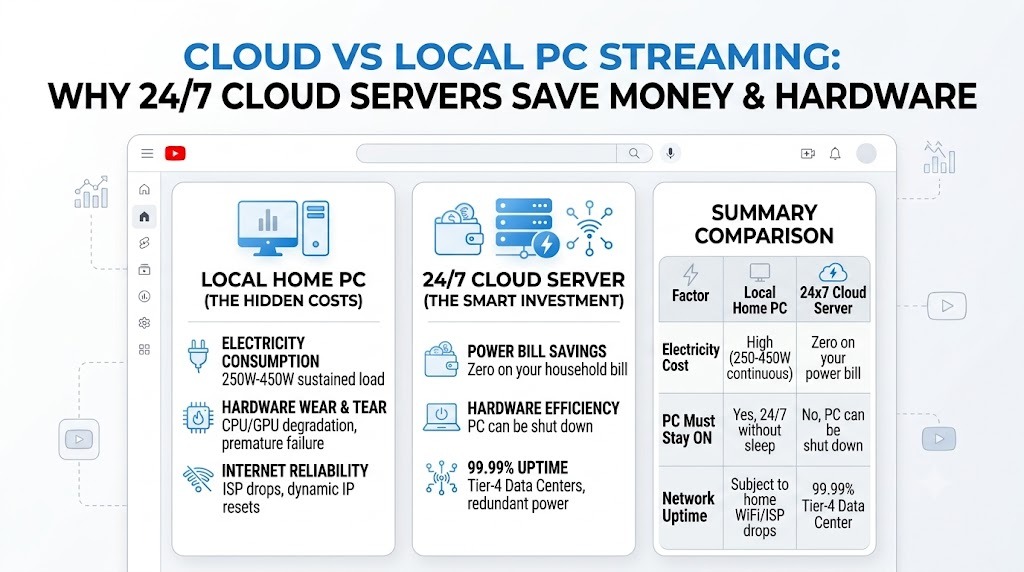
A typical mid-range PC encoding 1080p video draws between 250W to 450W under sustained load. Running 24 hours a day for 30 days equals 180 to 324 kWh per month. In many regions, this adds considerable cost to your monthly power bill—often higher than a managed cloud streaming subscription.
2. Hardware Wear and Tear
Consumer CPUs and GPUs are not engineered for continuous 100% compute load over months. Prolonged heat exposure degrades cooling fans, thermal paste, and capacitor lifespan, leading to unexpected crashes and premature hardware failure.
3. Internet Reliability & ISP Throttling
Home broadband connections suffer from power cuts, router reboots, and dynamic IP resets. Cloud data centers, by contrast, offer 99.99% uptime, dual-redundant power supplies, and multi-gigabit fiber backbones that never throttle your upload bandwidth.
Summary Comparison
| Factor | Local Home PC | 24x7 Cloud Server |
|---|---|---|
| Electricity Cost | High (250-450W continuous) | Zero on your power bill |
| PC Must Stay ON | Yes, 24/7 without sleep | No, PC can be shut down |
| Network Uptime | Subject to home WiFi/ISP drops | 99.99% Tier-4 Data Center |